See it in action
A quick break, start to finish.
Here's BRB on a Windows PC, step by step: record a loop once, step away whenever you need to, and come back without anyone noticing a thing.
-
1
Record your loop
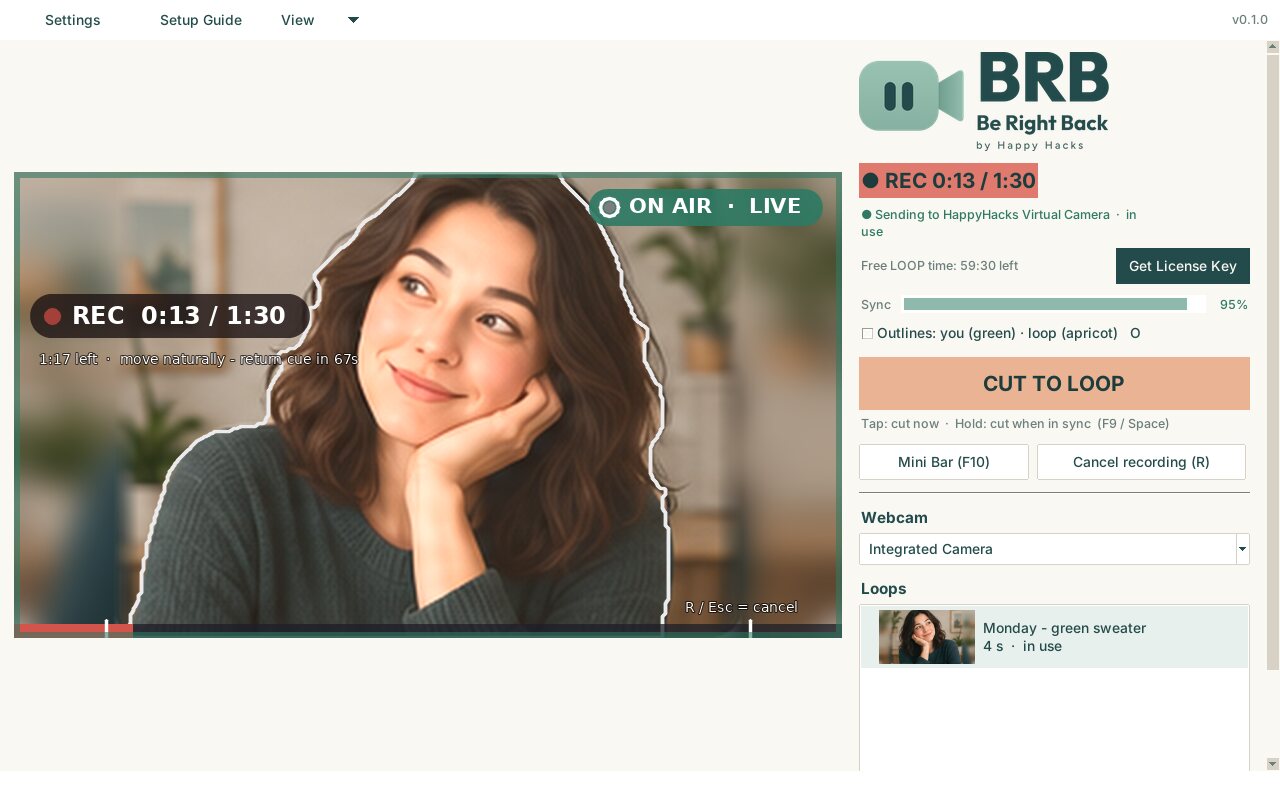
Press R and sit naturally, as if you're listening. A big timer and progress bar show how long is left, and BRB tells you when to settle back into your starting pose so the end of the loop joins the start without a jump.
Do it once. Record a new loop any time your outfit or lighting changes.
-
2
Join your meeting as usual
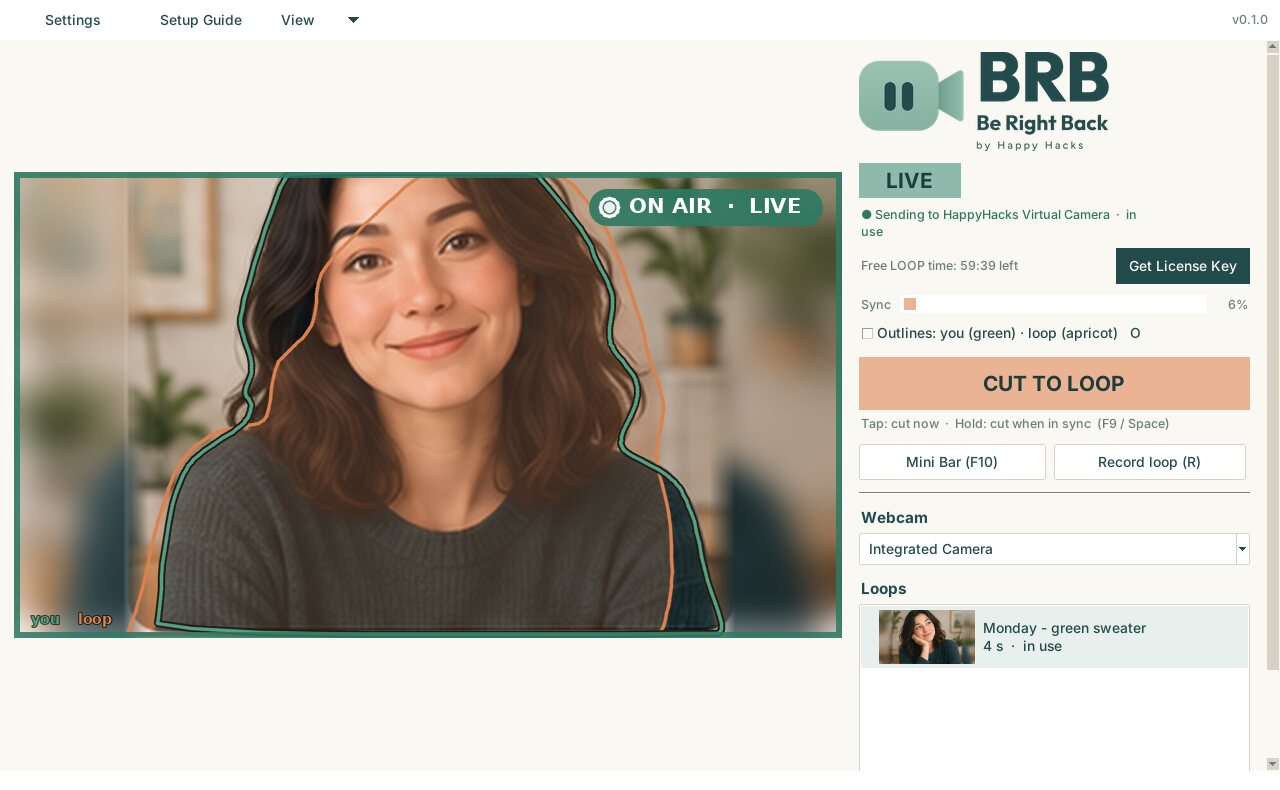
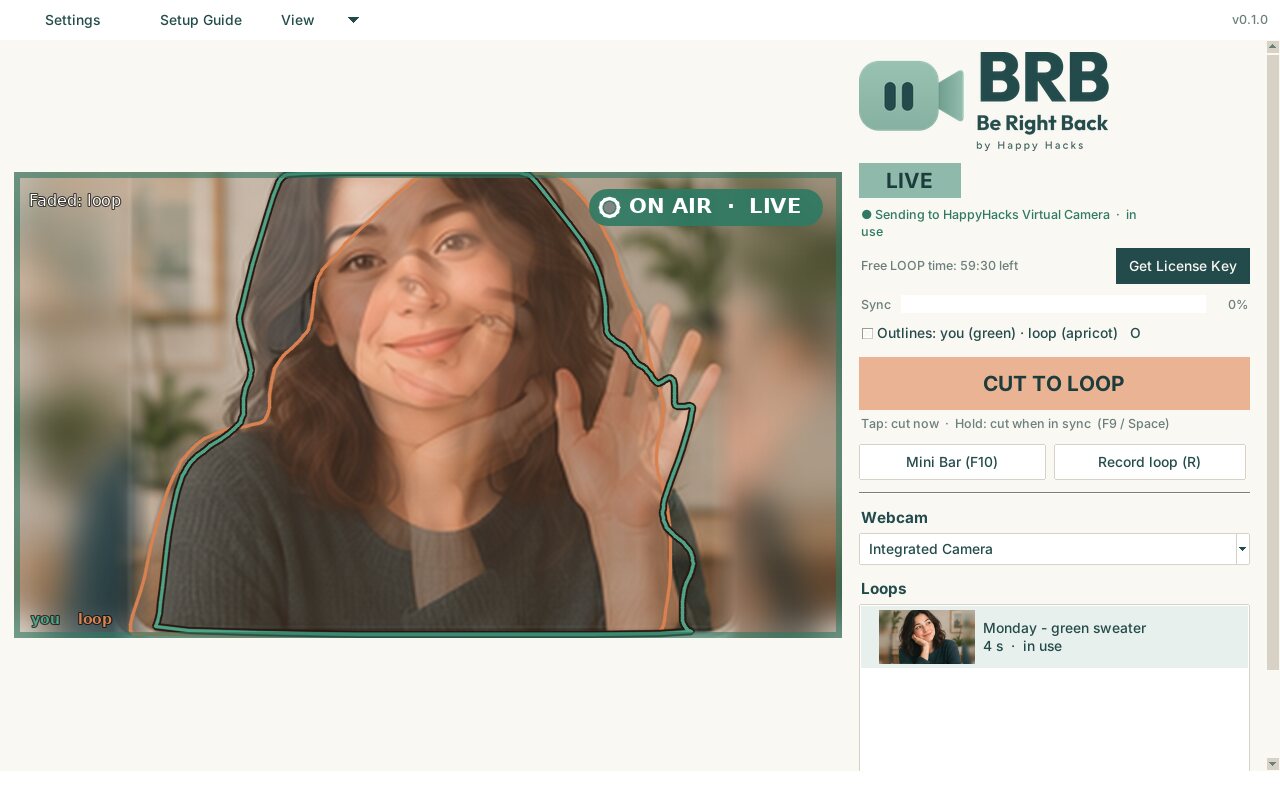
In your meeting app, choose HappyHacks Virtual Camera. You're LIVE: your meeting sees your real camera, and the ON AIR sign and green border make that unmistakable.
Works with Google Meet, Microsoft Teams, Webex, Zoom and other meeting apps.
-
3
Need a moment? Switch to your loop
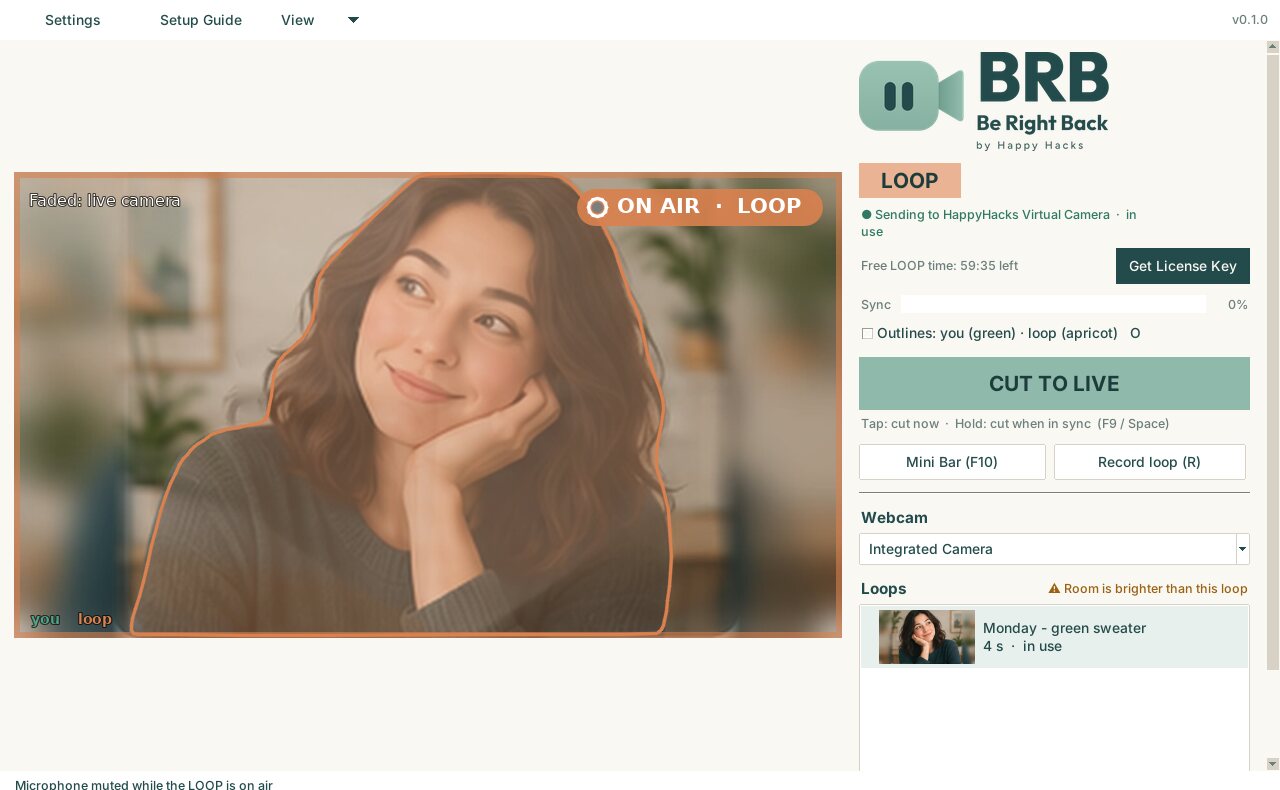
One key press (F9) cuts to your loop. The border turns apricot, ON AIR says LOOP, and your microphone is muted, so a coffee grinder or a barking dog never reaches the meeting.
Your preview shows your empty chair faded behind the loop, so you always know what's really happening.
-
Meanwhile, in the meeting
Everyone else just sees you, listening calmly. No black tile, no empty chair, no "camera off" moment to distract the speaker.
Prefer to let people know you've stepped away? Turn on the optional BRB badge in Settings and a small "BRB · Be right back" badge shows in the corner of your video while you're away.
 YouJMJordanAKAishaRTRob
-
4
Back in your seat? Line up
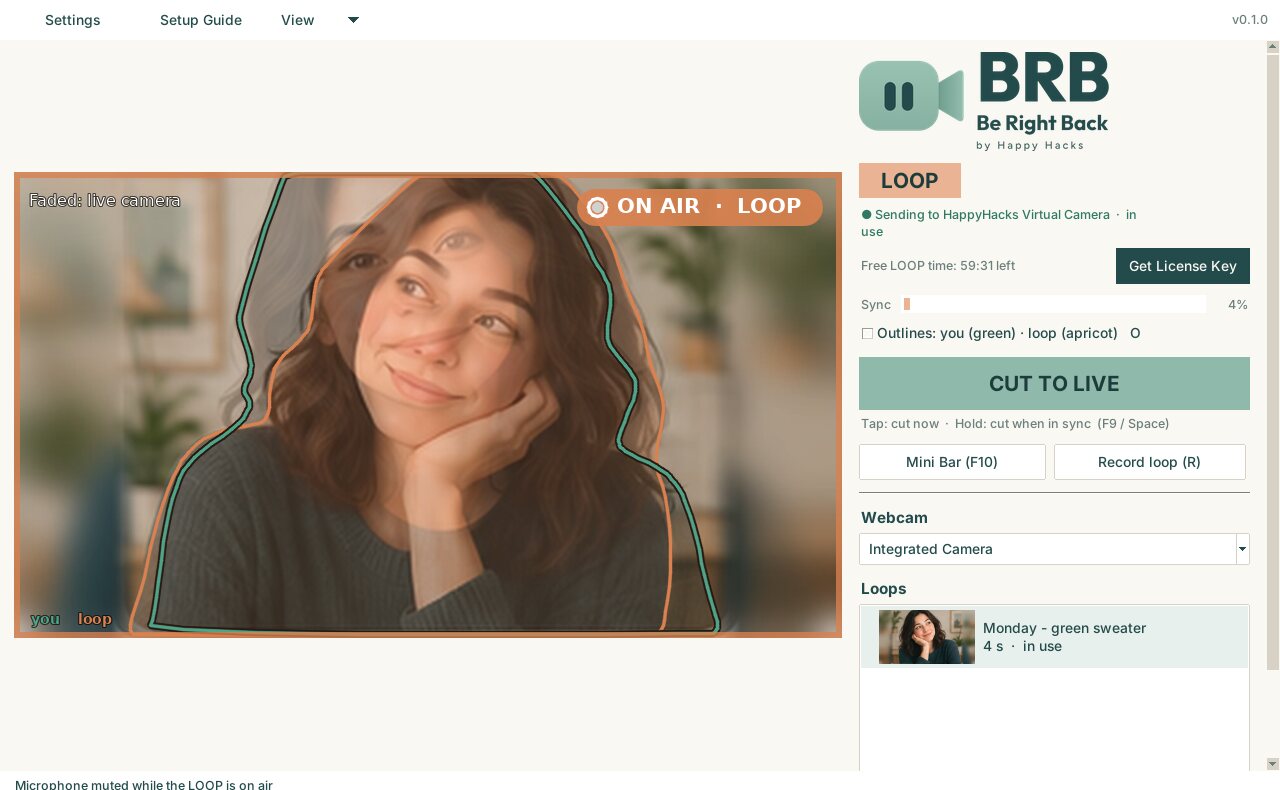
Outlines show where you are now (green) and where the loop is (apricot). Move until they sit on top of each other, or simply hold F9 and BRB switches the moment you're lined up.
-
5
And you're live again
One more key press switches back to LIVE and turns your microphone back on. To everyone else, you never left.
-
Tip: the Mini Bar
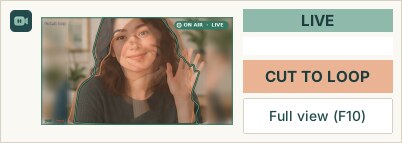
Press F10 (or View → Mini Bar) for a small always-on-top strip you can park beside your meeting, with a live thumbnail and the switch button. F10 again brings the full window back, even while your meeting app is in front. BRB's windows never show up in your screen share.
Ready for your next break?
Free to try: 1 hour of LOOP time per computer. Unlimited for $5/month.
Screens show BRB on Windows. Zoom, Microsoft Teams, Google Meet and Webex are trademarks of their respective owners; BRB is not affiliated with or endorsed by them.