Your virtual camera break companion.
Need a moment?
Be right back.
Switch between your live camera and a short recorded loop of you when you need a quick break: a restroom run, a coffee refill, a knock at the door. Your camera doesn't go dark, and nobody is distracted.
See BRB in actionBY HAPPY HACKS

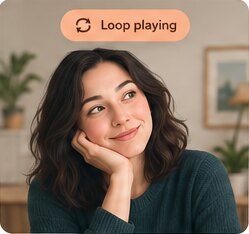

Record a short loop
Record a minute or two of yourself listening. BRB joins the end to the start so it plays smoothly.
Switch when you need a moment
Tap F9 and your loop plays on your camera, with your microphone muted, so you can step away briefly.
Return to live
Back in your seat? Tap F9 again. Outlines show where to sit so the switch is smooth.
Works with Google Meet · Microsoft Teams · Webex · Zoom and other video meeting apps that let you choose a camera.
Download BRB
Choose your computer below.
Download- Open BRBSetup.exe. If Windows shows "Windows protected your PC", click More info → Run anyway.
- The installer adds the HappyHacks Virtual Camera (Windows asks for permission once); the setup guide helps you pick your webcam and record your first loop.
- In your meeting app's video settings, choose HappyHacks Virtual Camera as your camera.
- Open the .dmg and drag BRB onto Applications.
- Open BRB. The first time, macOS says it "can't be opened because Apple cannot check it for malicious software" (the app isn't notarized by Apple yet). Click OK, then go to System Settings → Privacy & Security, scroll down and click Open Anyway. Open it again and choose Open. You only do this once.
- Install OBS Studio (free). BRB uses its virtual camera; the setup guide walks you through it, and through allowing the camera and hotkeys.
- In your meeting app's video settings, choose OBS Virtual Camera.
By downloading, you agree to the End User License Agreement. Not sure which Mac you have? Apple menu → About This Mac. "Chip: Apple M…" means Apple Silicon; "Processor: Intel" means Intel.
Free to try, $5/month for unlimited
Free
$0
- 1 hour of LOOP time per computer, in total
- The clock only runs while the LOOP is on air
- A warning and a countdown in the app when 5 minutes are left; then it cuts back to LIVE
Unlimited
$5/month
- Unlimited LOOP time
- One computer per key
- Cancel any time
- 50% off ($2.50/month, for as long as you stay subscribed) if you subscribe before your free time runs out: use Get License Key in the app
BRB checks your free time or license with this site, so it needs an internet connection while the LOOP is on air.
What it does
A calm stand-in
A natural loop of you listening, joined end to start so it plays without a jump.
One key, either way
Tap F9 as you step away and again when you're back. Hold it, and BRB switches the moment you're lined up.
Back in the same spot
Outlines of you and the loop show where to sit, so coming back is smooth too.
Quiet while you're away
Your microphone is muted while the loop plays, so a coffee grinder or a barking dog never reaches the meeting.
Made for short breaks
BRB is a courtesy tool: it saves everyone the distraction of a camera switching off, an empty chair or a kitchen in the background while you take a moment. Use it for brief breaks in meetings, classes and trainings where stepping away is fine.
It is not for faking attendance or participation, or for getting around attendance checks, identity checks, proctored exams, interviews or any meeting where your live presence is required. Follow your organizer's, employer's or school's rules; when in doubt, simply turn your camera off. Read the EULA.
FAQs
Which meeting apps does BRB work with?
Any video meeting app that lets you choose a camera, including Google Meet, Microsoft Teams, Webex and Zoom. BRB appears as a camera (HappyHacks Virtual Camera on Windows, OBS Virtual Camera on a Mac); pick it in your meeting app's video settings.
Is my video uploaded anywhere?
No. Your camera, your loops and your recordings stay on your computer. BRB only checks your free time or license key with this site.
Why does it need an internet connection?
Free LOOP time and license keys are checked with brb.happyhacks.io while the LOOP is on air, so reinstalling doesn't reset free time. Your live camera works without a connection.
How long can the loop be?
You choose: from 1 to 10 minutes (90 seconds by default). Longer loops look more natural for longer breaks.
Is it OK to use BRB in my meeting?
BRB is meant for short, courteous breaks where stepping away is fine. Don't use it to fake attendance or in exams, interviews or meetings that require your live presence. If you're unsure, ask the organizer or turn your camera off.
Can I cancel my subscription?
Any time, on the license page. Your key keeps working until the end of the month you've paid for.
Latest version 0.1.41, released 2026-11-02 · Release notes · Setup guide · EULA
Zoom, Microsoft Teams, Google Meet and Webex are trademarks of their respective owners. BRB is not affiliated with or endorsed by them. BRB was formerly called Doppleganger.